Extensions
Extensions represent endpoints such as desk phones, soft phones or analogue adapters. The extension becomes the SIP username and the domain becomes the realm that determines which tenant the endpoint is registering with.
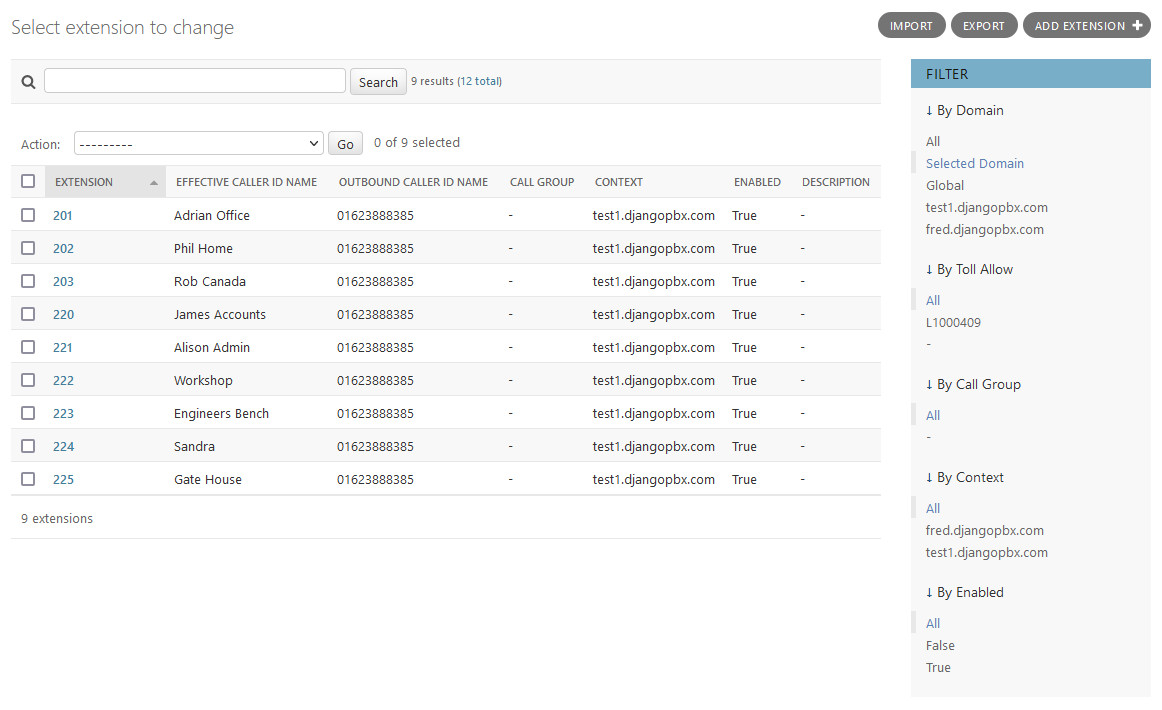
Extensions have some additional Admin Actions that can be performed on selected records, the screenshot below shows these.
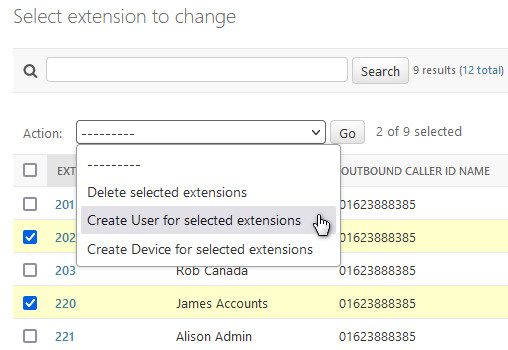
Actions
- Delete selected extensions
Self-explanatory.
- Create User for selected extensions
A user will be created with the name <extension>@<domain>. It will be assigned the same password as the extension and also assigned to the extension as the default user.
- Create Device for selected extensions
Will create a device with the extension set as Line 1. The device will have a dummy MAC address. If a user is assigned to the extension then the user will also be assigned to the device created from the extension record.
The Edit Screen
The Extension edit screen, Change extension, has several sections: the main window and two collapsible sections, Call Routing and Advanced.
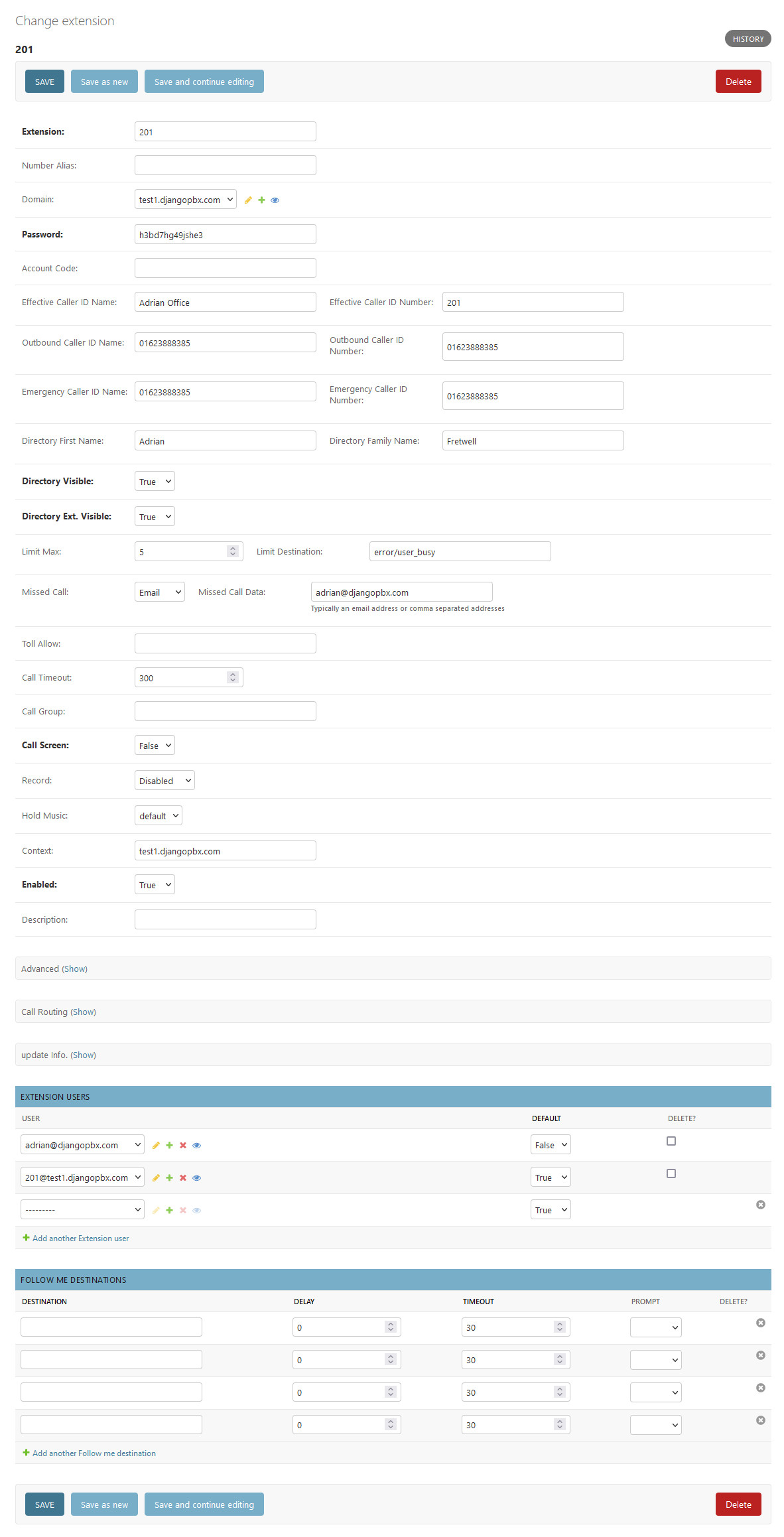
The Main Window
- Extension
An alphanumeric value. The default configuration allows between 2 and 7 digits.
- Number Alias
If the extension is numeric then number alias is optional. This allows you to provide a number for the extension.
- Domain
The domain or tenancy to which the extension belongs. If left blank the editing user’s domain will be assigned.
- Password
This will be used as the Secret in SIP authentication.
- Account Code
Used for call billing purposes. If you don’t use a billing system then it’s safe to leave blank.
- Effective Caller ID Name
Internal Caller ID name, like Fred or Sales.
- Effective Caller ID Number
Internal caller ID number, usually the same as the extension number.
- Outbound Caller ID Name
Used by the outbound route for external calls. In many countries this has to be numeric.
- Outbound Caller ID Number
Used by the outbound route for external calls. Business or Organisation number is often used here.
- Emergency Caller ID Name
This is used when making a call to an emergency service like 999.
- Emergency Caller ID Number
This is used when making a call to an emergency service like 999.
- Directory First Name
The first name used for the directory (*411).
- Directory Family Name
The surname used for the directory (*411).
- Directory Visible
Select whether to show the name in the directory.
- Directory Extension Visible
Select whether to announce the extension when calling the directory.
- Limit Max
Set maximum number of outgoing calls for this extension.
- Limit Destination
Set the destination to send the calls when the limit is exceeded.
- Missed Call
Set to Email and enter an email address into Missed Call Data. A notification will be sent if the call was not answered by the extension.
- Toll Allow
A string of any value you choose. It is tested in the outbound route (Examples: home, business, shop, etc.).
- Call Timeout
How long the call can ring out.
- Call Group
A string of any value you choose (Examples: sales, admin, service). This is used to call a group, like a ring group; it is also used for group intercept.
- Call Screen
If set, this will ask the caller to identify themselves. The response is recorded and played back to the person receiving the call.
- Record
Enable call recording, the choices are local, inbound, outbound, or all calls.
- Hold Music
Choose the music or tones for music on hold on this extension.
- Context
The context is set by default to match the domain name. It will be automatically populated if left blank.
- Enabled
Set extension enabled or disabled.
- Description
Use for a description or notes.
Advanced Settings
The Advanced settings should be left as default in most cases. They provide the ability for fine tuning.
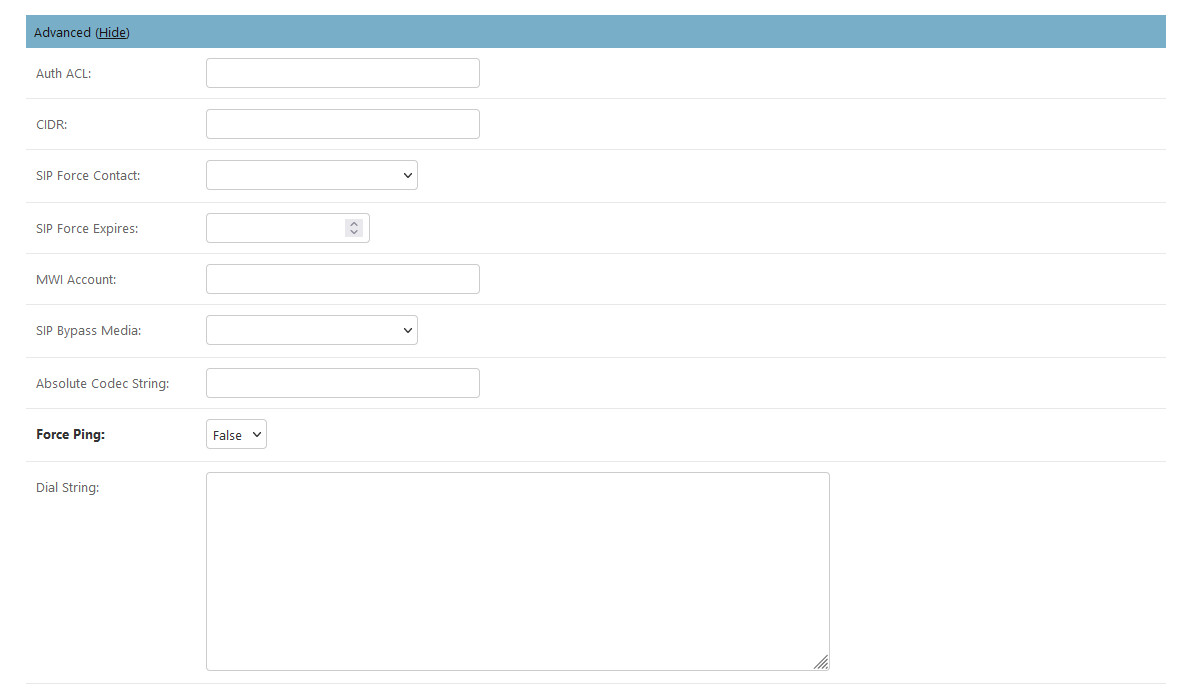
- Auth ACL
Extra authentication auth acl cases.
- CIDR
CIDR if needed.
- SIP Force Contact
Rewrite the contact port, or rewrite both the contact IP and port.
- SIP Force Expires
Help prevent stale registrations. SIP Force Expires can override the client expire.
- MWI Account
Monitor different MWI Account identified with user@domain.
- SIP Bypass Media
Send media streams point to point or in transparent proxy mode.
- Absolute Codec String
Specify the only Codecs for the extension.
- Force ping
Use OPTIONS to detect if extension is reachable.
- Dial String
Additional variables and the location of the endpoint.
Call Routing
The Call Routing section allows the extension user to choose how the call is routed in various circumstances.
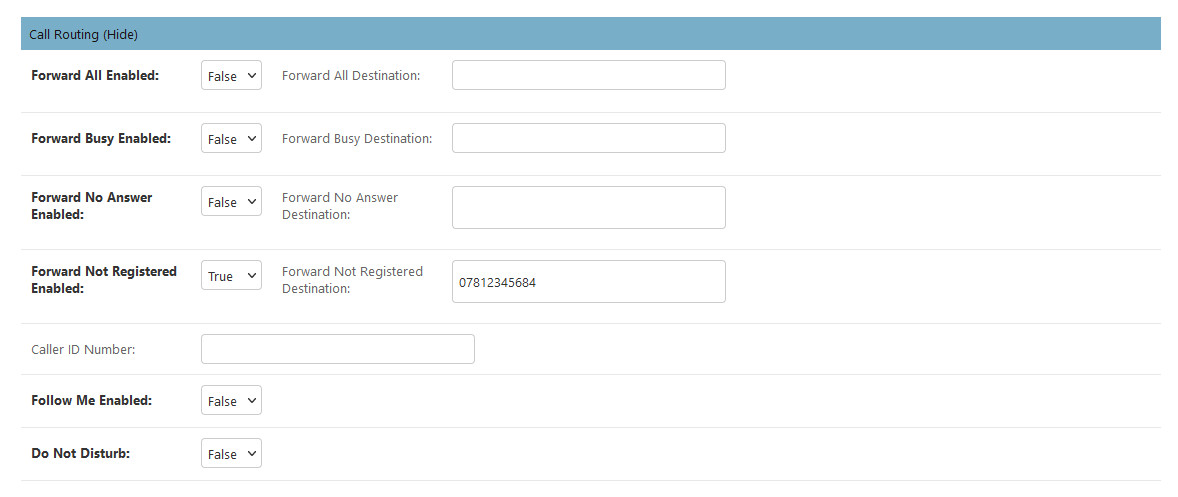
The choices and fields in the above screenshot require no explanation.