Gateways
Gateways provide access into other SIP networks. These can be Internet Telephony Service Providers or other services that may or may not require SIP registration.
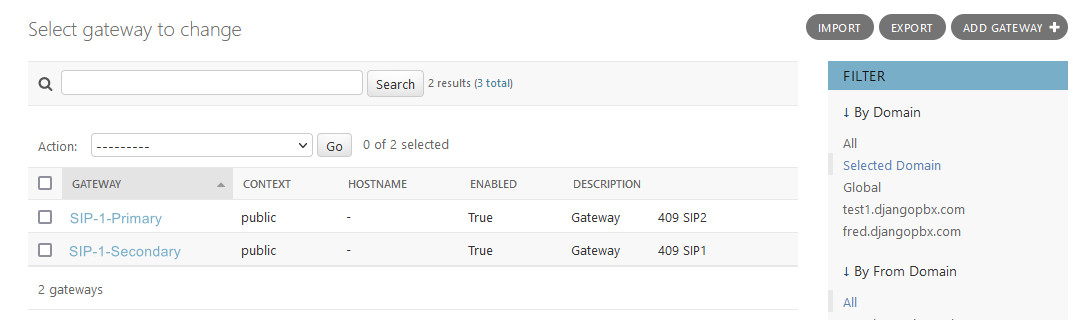
Gateways have some additional Admin Actions that can be performed on selected records, the screenshot below shows these.
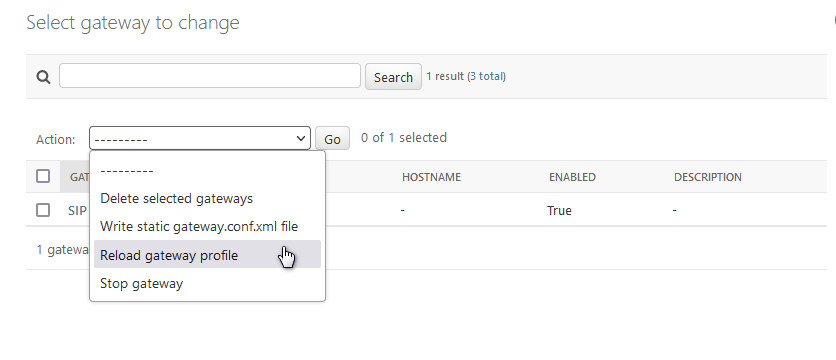
Actions
- Delete selected gateways
Self-explanatory.
- Write static gateway.conf.xml file
This will write out a static gateway configuration to the filing system. This is rarely used and only required for installations that are configured for static configuration.
- Reload gateway profile
This will reload the sofia profile(s) associated with the selected gateways.
- Stop gateway
This will stop the selected gateways and mark them disabled.
When you add or make changes to a gateway run the “Reload gateway profile” acton when you are happy with it.
The Edit Screen
The Gateway edit screen, Change gateway, has two sections: the main window and a collapsible Advanced section.
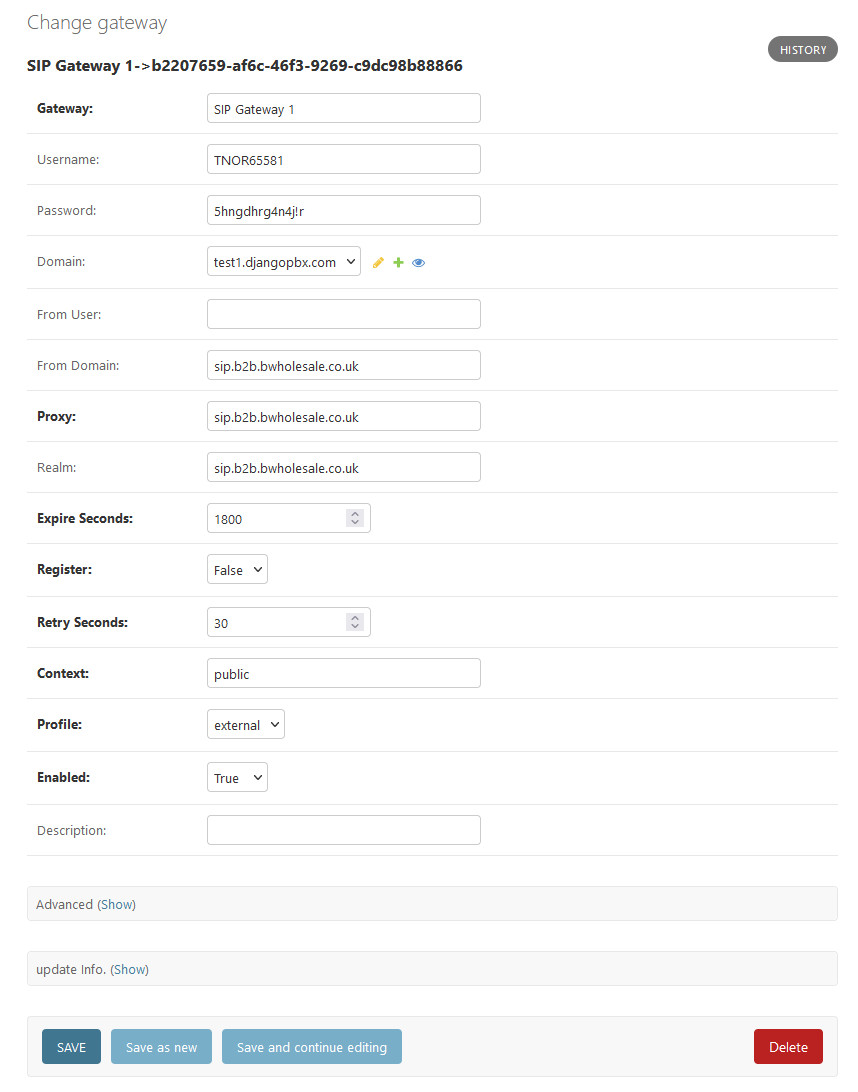
The Main Window
- Gateway
The name of the Gateway. This can be anything you like, such as a VoIP provider, an account or service.
- Username
This is the username for SIP registration provided by the service operator.
- Password
This is the password for SIP registrations, it is provided by the service operator.
- Domain
The domain or tenancy to which the gateway belongs. If left blank the editing user’s domain will be assigned.
- From User
Optional, sets a specific SIP From User.
- From Domain
Optional, sets a specific SIP From Domain.
- Proxy
Required, sets the server address specified by the service provider.
- Realm
Optional, but it may be required by some service providers.
- Expire Seconds
Optional, sets the expiry time for the registration.
- Register
Required. Set to true if the carrier uses a username and password. Set to false if the carrier uses IP authentication.
- Retry Seconds
Optional, sets the failed registration re-try interval.
- Context
Required, by default is set to public and this is usually the correct value.
- Profile
Required, sets the SIP profile used by the gateway, defaults to external.
- Enabled
Required, sets the gateway to be enabled or disabled.
- Description
Use for a description or notes.
Advanced Settings
The Advanced settings should be left as default in most cases. They provide the ability to adjust some values.
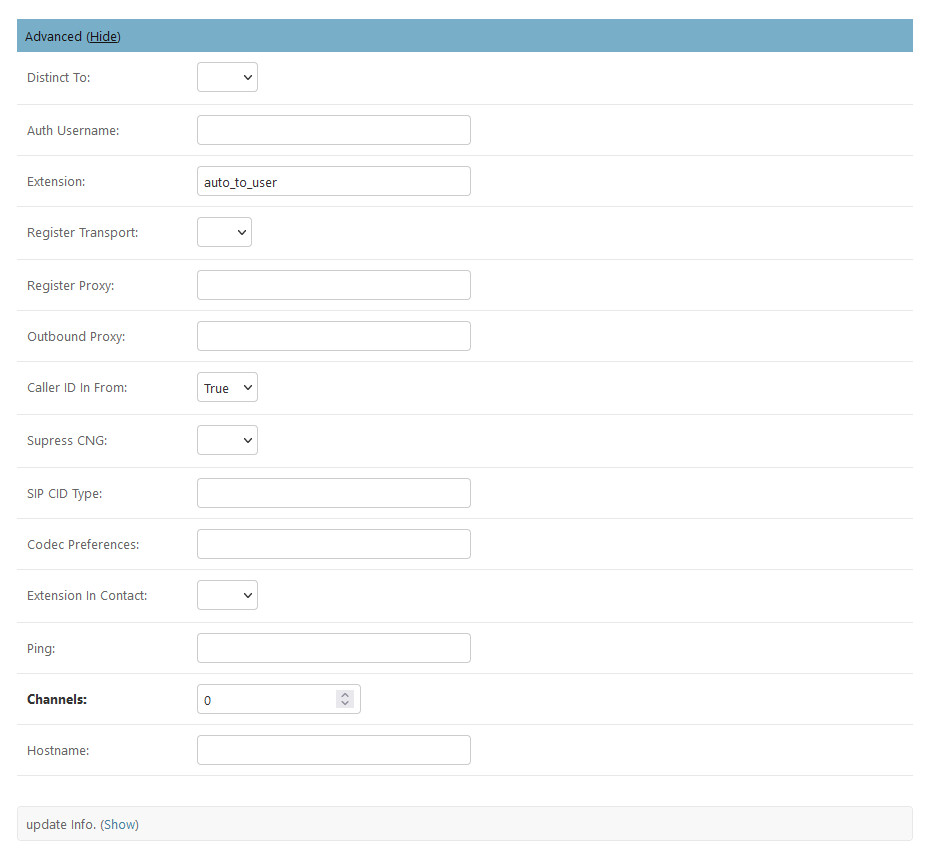
- Distinct To
Not currently used
- Auth Username
Authorisation Username if different to Username
- Extension
Used for testing but generally should be set to auto_to_user.
- Register Transport
Specifies the transport - use SIP with TCP, UDP or TLS.
- Register Proxy
Hostname or IP address of the register proxy. host[:port].
- Outbound Proxy
Hostname or IP address of the outbound proxy. host[:port].
- Caller ID In From
If your caller ID isn’t working setting this to true will often fix the problem.
- Suppress CNG
If True, comfort noise will be disabled.
- Sip CID Type
The SIP caller id type: pid, rpid, or none.
- Codec Preferences
Set codec preferences as a list (Example: PCMA, G729, G722).
- Extension In Contact
Option to set the Extension in Contact header.
- Ping
If your server is behind NAT then the ping option can be used to maintain a NAT hole through the firewall. The ping interval is in seconds.
- Hostname
This should usually be left empty. When the hostname is set the gateway will only start on the matching server with same hostname. If the hostname is left blank the gateway will start regardless of the server’s hostname.