Call Centre Queues
An ordinary user with appropriate Call Centre permissions has access to a restricted subset of these settings. The queues are accessed via the Call Centres application
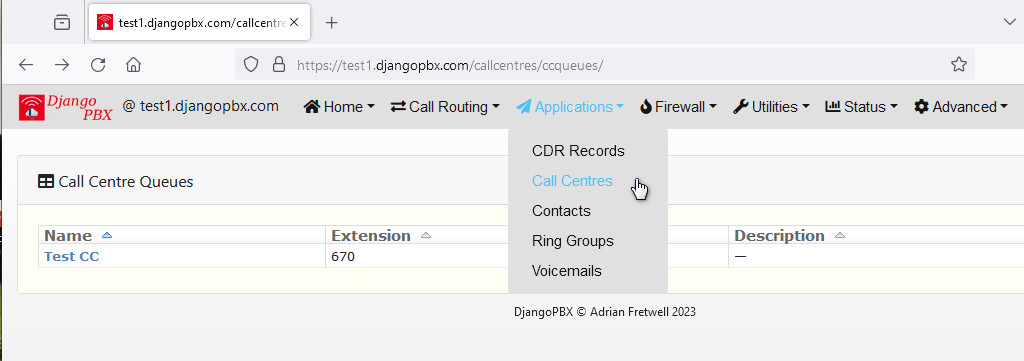
Click on the Queue Name to edit the Queue settings or launch the Queue Wallboard
Queue Settings View
The settings available here control how the Queue will display on the Wallboard.
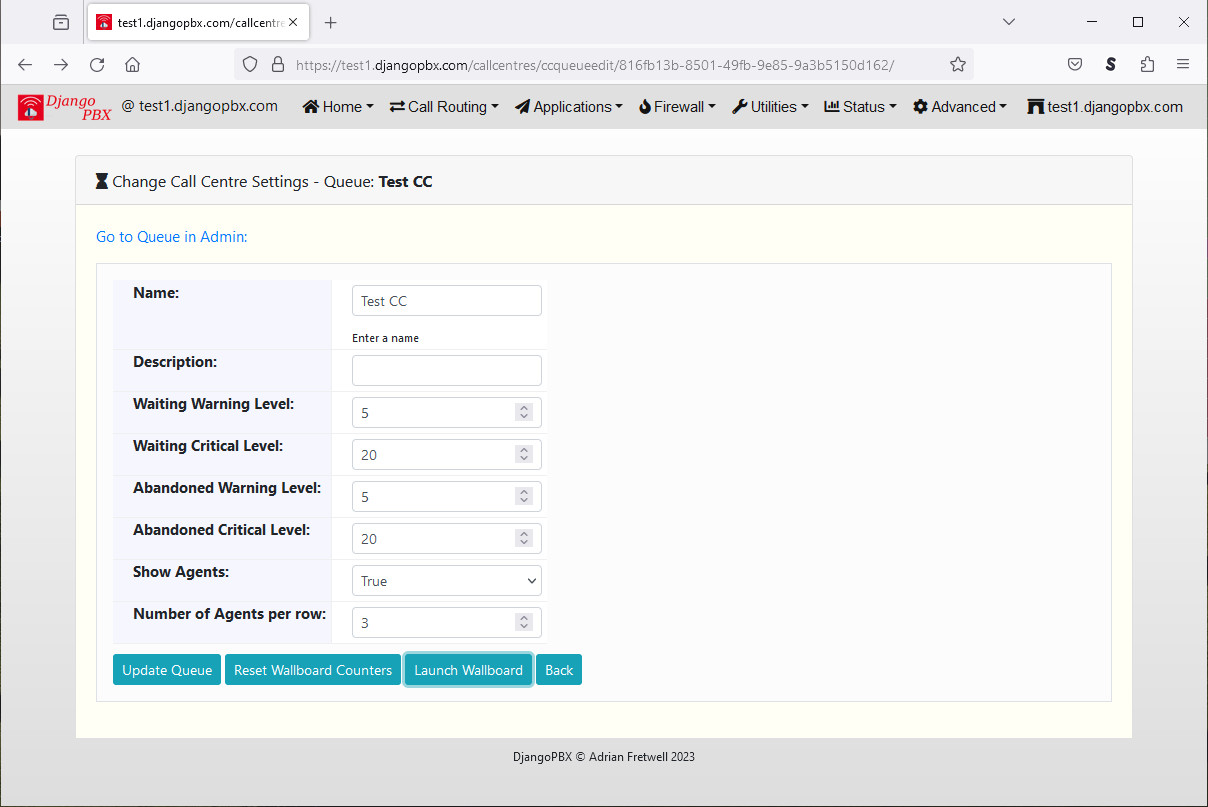
Name: The name of the Queue, this is displayed next to the clock on the Wallboard.
Description: This is just for notes about the Queue and is not displayed on the Wallboard.
Waiting Warning Level: The number of calls waiting before the waiting card turns from green to amber.
Waiting Critical Level: The number of calls waiting before the waiting card turns from amber to red.
Abandoned Warning Level: The number of calls lost before the abandoned card turns from green to amber.
Abandoned Critical Level: The number of calls lost before the abandoned card turns from amber to red.
Show Agents: Set to True to show the Agents on the Wallboard
Number of Agents per row: How many Agents to show per row.
All the Wallboard colours are controllable via the pbx.css stylesheet.
The Buttons allow you to simply Update the settings, Reset the counters to zero, or Launch the Wallboard