The Milliwatt Dialplan
I have chosen to look in more detail at the milliwatt dialplan because it is one of the most simple dialplans you will encounter.
So what does the milliwatt dialplan do?
It defines an extension number *9197.
It answers the call.
It plays a tone stream.
The tone stream is defined by the three sets of numbers: 251,0,1004. These mean it will play a 1004Hz tone for a duration of 251ms with 0ms of intervening silence, continuously (loops=-1).
Let’s look at the XML:
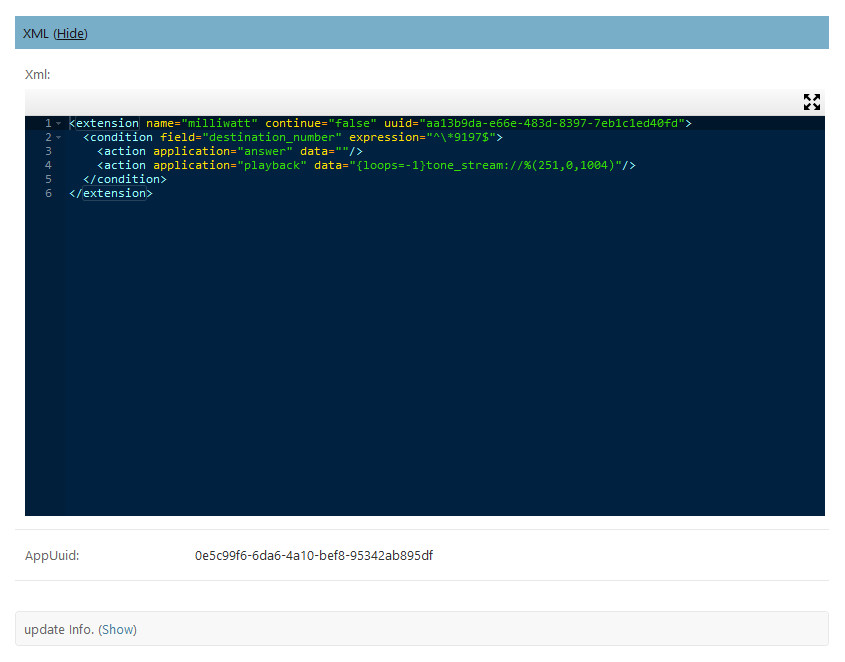
The XML is six lines of code. First it defines the extension, then a condition. In this case the condition is destination_number and it represents the number we dial to listen to the tone stream (*9197).
Then we have the two actions, answer and playback.
You will notice that the Dialplan Details section just shows empty records:
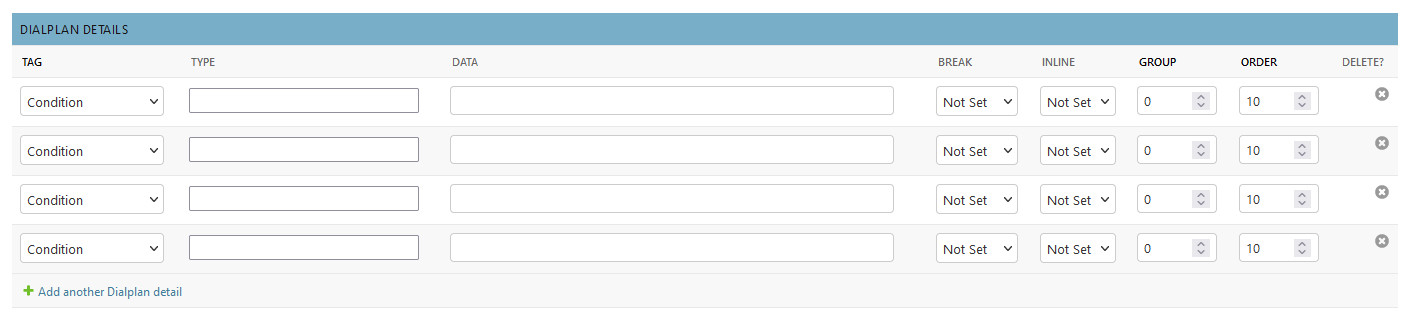
This is because by default we do not create the dialplan details, they are not required to run the system, they are just there to help when constructing or editing a dialplan.
The Tag and Type fields act as an aide mémoire to help you to remember what options are available. If the Dialplan Details are empty but there is XML in the XML edit box, then you can use the Generate Details from XML button to perform a sort of reverse engineer on the XML to populate the Dialplan Details.
The screenshot below shows the Dialplan Details populated after clicking the button. Note that the system always provides four extra blank records for you to use if required.
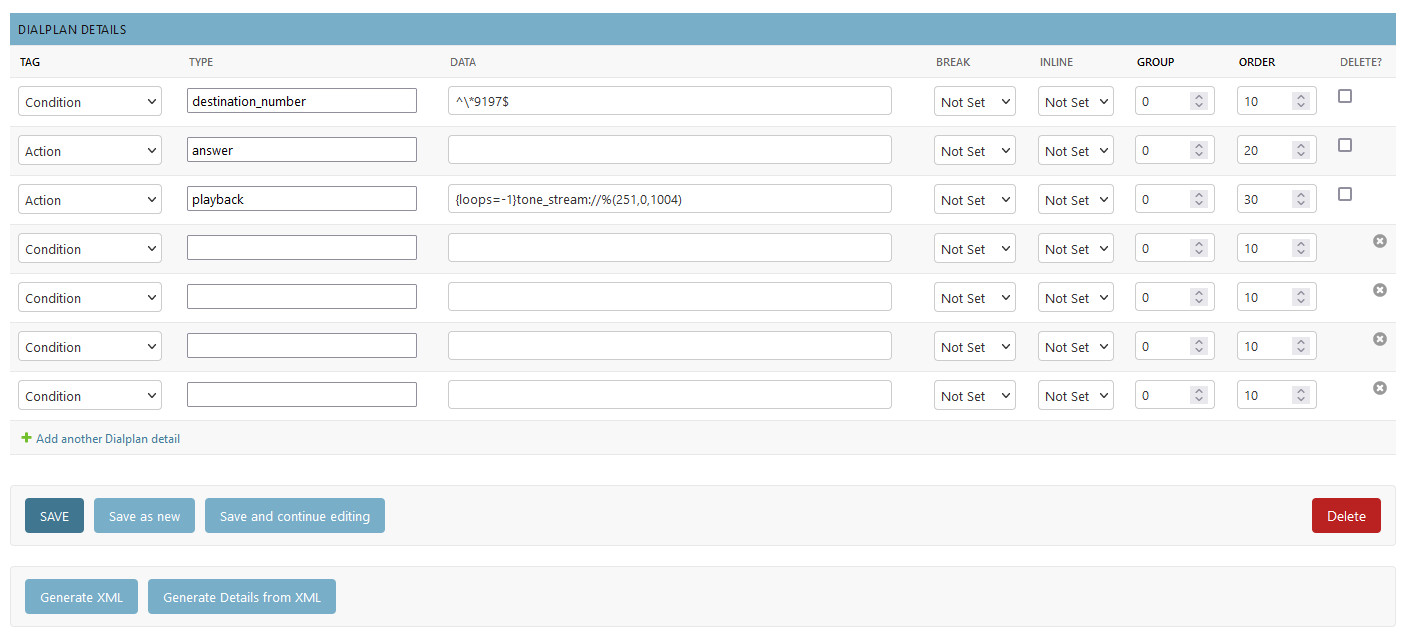
If you use the Dialplan Details section to help construct your dialplan then remember that the XML box in the dialplan record WILL NOT get updated until you click on the Generate XML button.