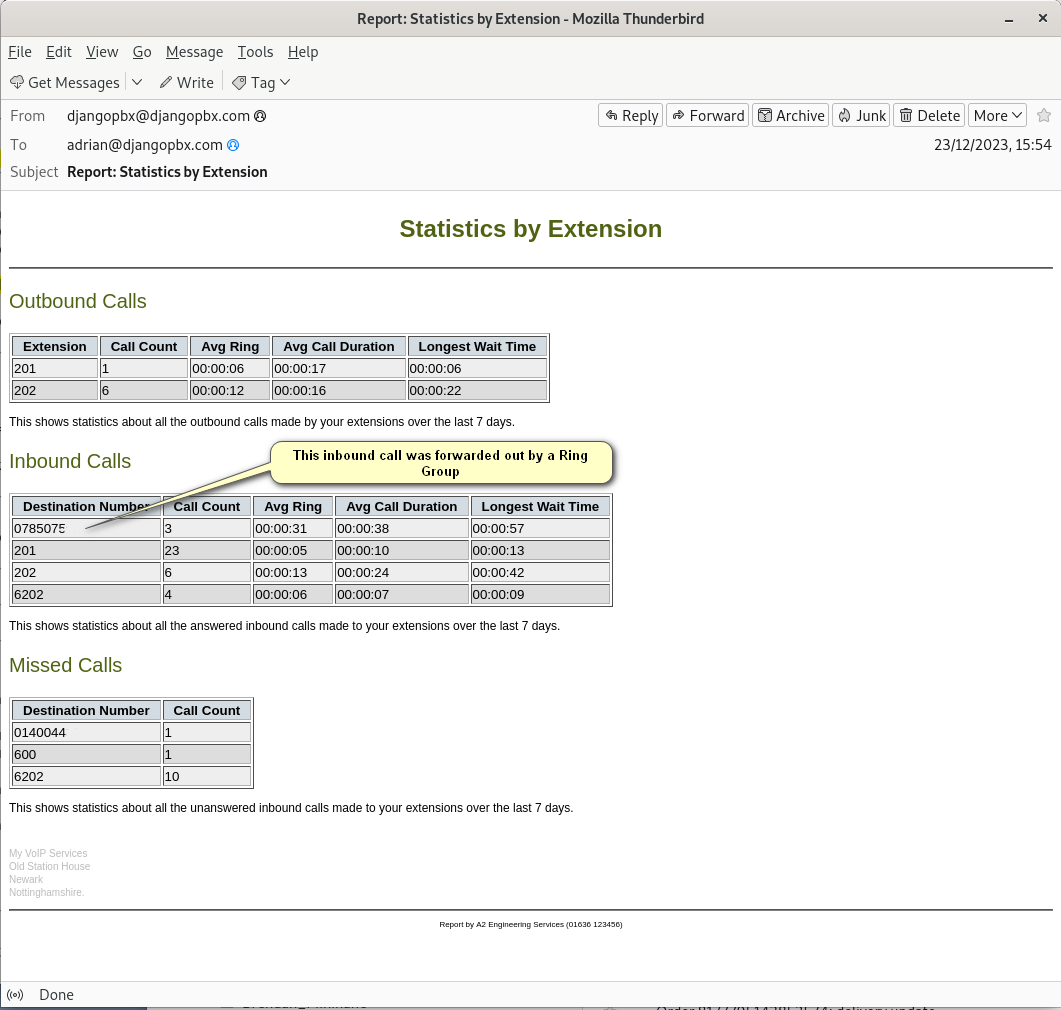
An Example report
The Auto Reports listing shows all the available reports for a given domain; here there is an option to edit or view the report.
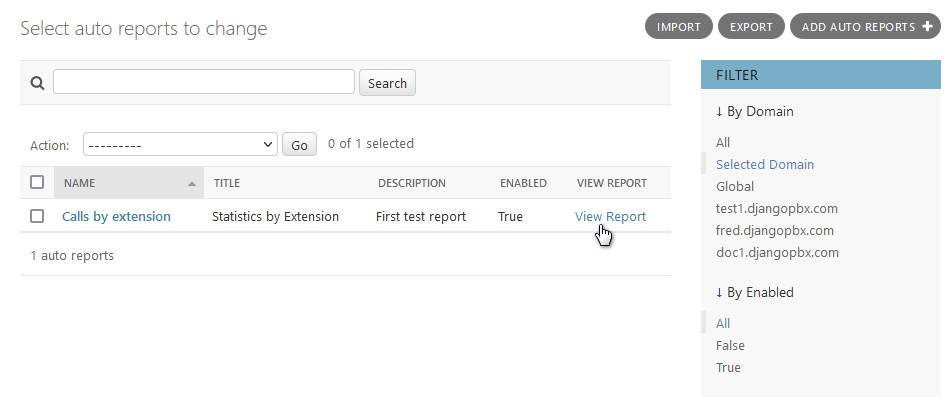
When View Report is clicked the system will generate the report in real time and display the results. This can be helpful when prototyping new reports. This screen will also let you know if there were any errors in generating the report.
The Edit Screen
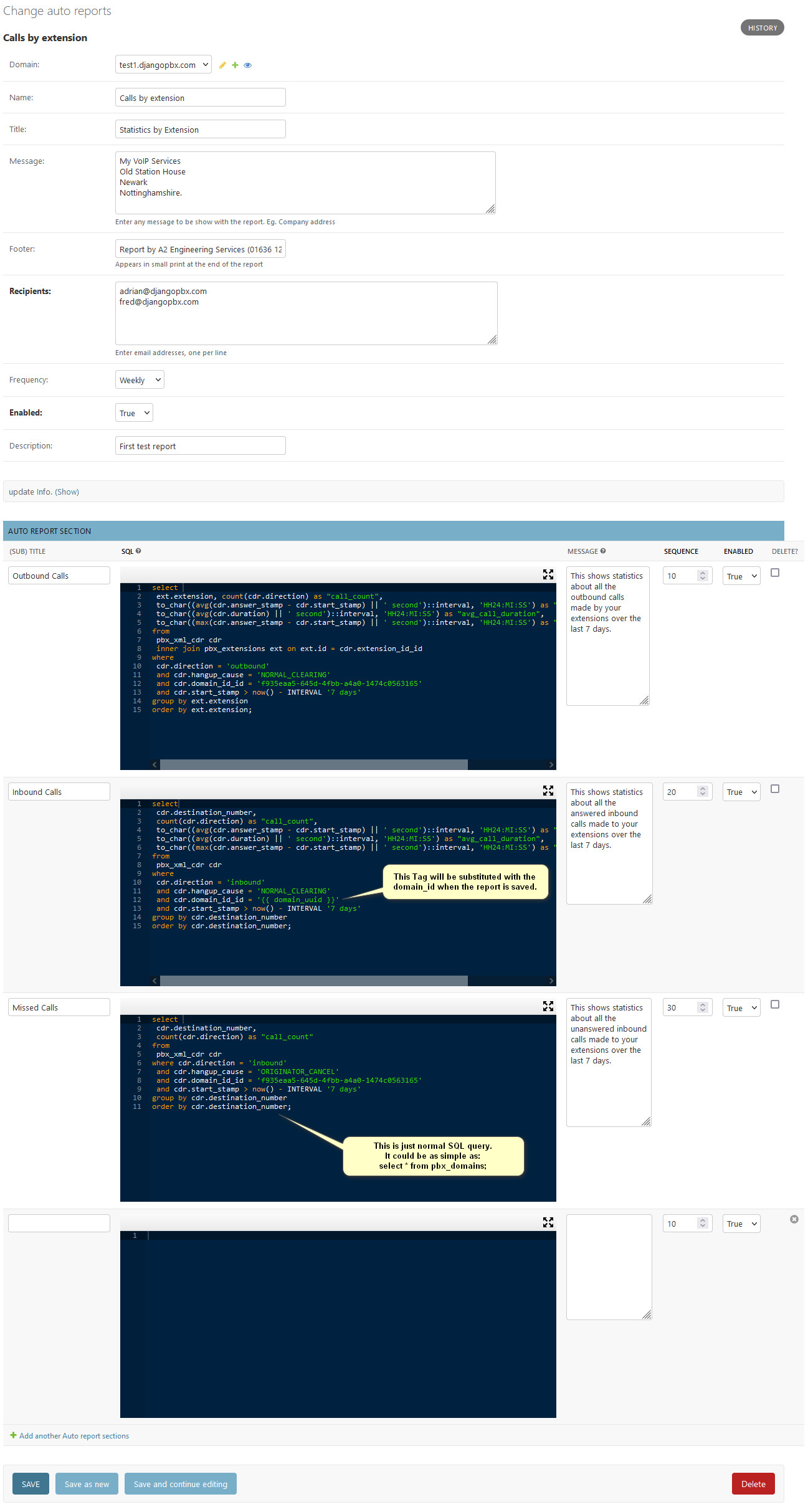
The Auto Reports edit screen, Change auto reports, has several sections: the main window and a collapsible section for update info details.
There is also an Auto Report Section section that allows any number of report sections to be added. Each report section has its own SQL query.
It may be helpful to refer to the DB Entity Relationship Diagram or the DB Schema documents when constructing your SQL query.
The Report Email
This is an actual email generated and sent out from the example report above. The email client showing the message is Thunderbird.